Field operations guide

Z-kit

Egocentric recording kit . read fully before first deployment


two phases

Phase 1

Kit assembly

Done once . packs everything into the bag correctly . bottom zip sealed and untouched after this .

Phase 2

Field deployment

Done every shift . connect battery , run 6 checks , listen for 'disk mounted' then 'recording started' , then go .


components . click to inspect


phase 1 . assembly

01

Prepare the battery

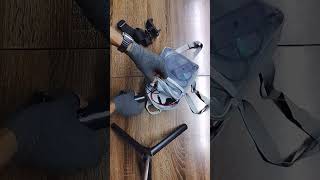
Wrap li-ion battery pack in thermal insulation and seal it . one power cable should come out .
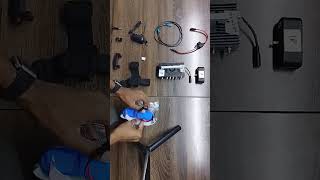
STEP 01 | Packing Battery
02

Insert SD card into reader , plug into hub

Insert SD card into the SS3.0 reader . plug reader into hub USB port .

SD card must be named ZEDREC and formatted FAT32 . wrong name or wrong format → hub says "disk not found" . correct → hub says "disk mounted" then "recording started" .
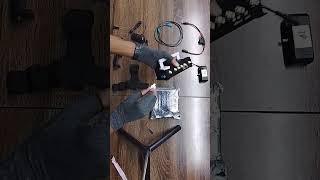
STEP 02 | SD Card
STEP 02 | SD Card
03

Connect speaker to hub

Plug USB speaker into hub . this is how the hub communicates status to you .
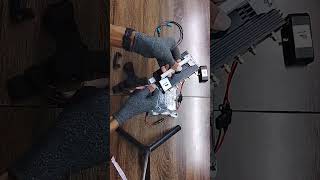
STEP 04 | Speaker Connection
04

Connect camera to hub

Plug fiber optic cable (teal connectors) into camera and into hub GMSL port .

Hub will say 'camera not found' if cable is not properly connected .
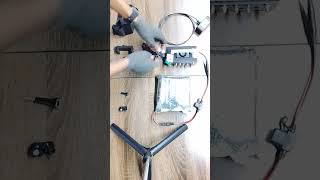
STEP 05 | Camera Connection
05

Assemble the harness

Attach pivot joint to harness mount point . slide camera bracket onto pivot . tighten thumb screw firmly . clip camera into bracket .
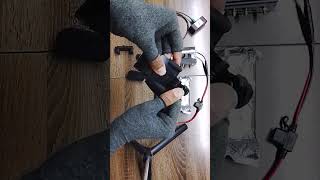
STEP 06 | Harness Setup
06

Pre-connect fuse cable to hub

Plug the fuse power cable into the hub power input . leave the battery end disconnected for now .
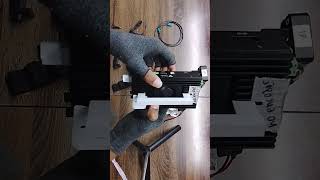
STEP 03 | Battery Connection

phase 1 . packing the bag

Bottom zip . sealed

Battery pack (thermal wrapped)
Processing hub
All cables neat and tidy inside

Set once . do not open until deployment . only the fuse cable end should be accessible .

Top zip . field access

Head mount harness
Camera (in bracket)
Fiber optic cable

Nothing else goes in top zip . keep it clean and accessible .

HOW TO WEAR
HOW TO WEAR
STEP 07 | Packing The Bag

phase 2 . field checks . do in order
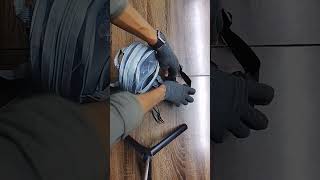
Battery
Open bottom zip . connect fuse cable from battery to hub . green light on hub confirms power .
SD Card
Confirm SD reader is plugged into hub . card named ZEDREC , formatted FAT32 .
Speaker
Confirm USB speaker is connected and audible .
Camera
Confirm fiber optic cable is properly connected to both camera and hub .
Lens
Wipe both camera lenses with the microfibre cloth before handing the harness to the wearer . dirty lenses = unusable footage .
Camera Angle
Fit camera on harness . angle downward to fully cover egocentric hand view .
Recording Started
Hub will say "disk mounted" then "recording started" . deploy only after you hear "recording started" . nothing before that counts .
FIELD CHECK
FIELD CHECK


deployment report

coming soon deployment reporting with database . live in next update .

FAQs

What is the correct SD card name and format ? +
The SD card must be named ZEDREC and formatted as FAT32 . Wrong name or wrong format → hub says "disk not found" . Correct → hub says "disk mounted" then "recording started" .
How do I know the kit is working before deployment ? +
The hub will say "recording started" through the speaker once battery is connected and everything is properly set up . Do not deploy until you hear this .
What if the hub says "camera not found" ? +
Check the fiber optic cable . both teal connectors must be fully clicked in , one into the camera and one into the hub GMSL port . Re-seat both ends and wait for hub confirmation .
Which zip holds what in the bag ? +
Bottom zip : hub + battery (sealed after assembly , do not open on field) . Top zip : harness + camera + fiber optic cable only . Nothing else goes in the top zip .
How should the camera angle be set ? +
Camera must point downward enough to fully cover the operator's egocentric hand view . Adjust the pivot joint and tighten the thumb screw firmly once the angle is correct .
What does the speaker communicate ? +
The hub uses the USB speaker to report its status . Key messages : "disk not found" (wrong name or wrong format . must be named ZEDREC and formatted FAT32) , "camera not found / camera not connected" (cable issue) , "disk mounted" (SD card recognised) , "recording started" (all clear , deploy now) .
What is the first thing to do in the field ? +
Open the bottom zip and connect the fuse cable from the battery to the hub . A green light on the hub confirms power . Then run through all 6 checks in order before wearing the harness .
Where do I log in and submit updates ? +
Clock in and submit handover at spec-ops.best . Send 3 WhatsApp updates per shift in the ops group .